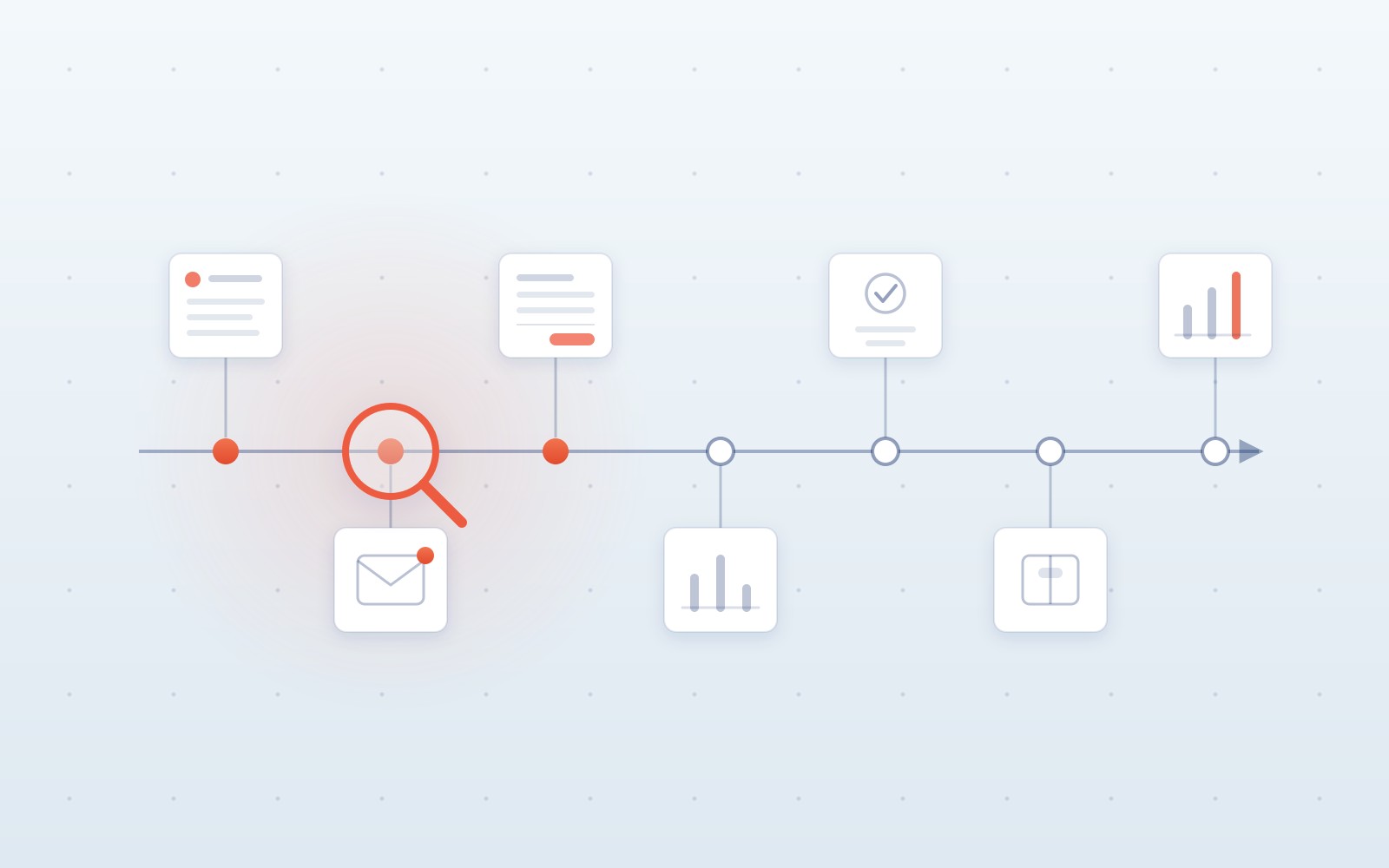
When people talk about automation in manufacturing, the conversation quickly turns to machines: robots, computer vision, predictive maintenance, IoT, AI-driven production planning. Those are important areas, no question. The problem is that in many companies, much simpler work still gets done by hand.
A customer sends an order as a PDF, and an employee retypes it into the ERP. A supplier pushes back a delivery date and confirms it by email, so a buyer compares the confirmation with the order, updates the date in the system and informs the planner. At shipping time, someone copies data from the ERP into a carrier portal. At the end of the week, someone else exports data from three systems into Excel and builds a report that looks almost exactly like last week's.
These aren't spectacular AI use cases. Which is precisely why they deserve a look.
In the previous article I argued that having an ERP doesn't yet mean the whole process is automated. The ERP can be working correctly while people still carry information by hand before it, after it, and between the other systems. Now let's go one level down: where exactly should you look for that work?
Don't treat the list below as:
seven processes every manufacturing company should automate immediately.
Treat it as:
seven places worth walking through, step by step, to check whether people are doing daily work a system could take over.
Where manual work still hides in a modern manufacturing company
An ERP is completely normal in manufacturing today, and so are MES, WMS, QMS, planning systems and BI tools. But the number of systems deployed says nothing about what daily work looks like between them.
In practice, the ERP often gets supplemented with Excel, especially where production planning is more dynamic. That model buys flexibility, but over time it creates problems with data consistency and with scaling.
So look first for tasks with a few simple traits:
- they happen frequently
- they look similar every time
- they involve opening documents or several systems
- they consist of comparing, copying or retyping data
- they have a fairly clear standard path
- only some cases need a genuine human decision
If an employee does something once every six months, there's probably nothing to automate. If they do it 100 times a day, that's a different story.
The best place to start is three areas: customer orders, purchasing, and invoices.
Orders, purchasing and invoices: start here
1. Taking in customer orders
Picture a typical flow. A customer emails an order, with a PDF or an Excel file attached.
The employee:
- opens the document
- checks the customer and delivery address
- reads off the order number
- goes through the line items
- maps the customer's code to the internal product code
- checks quantity and unit
- checks the price
- checks the requested date
- keys the order into the ERP
- attaches the document
- sends a confirmation
If anything doesn't add up, the second half of the process begins: an email to the sales rep, a question for the planner, a look at the previous order, a phone call to the customer.
It's an excellent candidate for analysis, because the standard case is usually easy to recognize. The system can check on its own who the customer is, what their product code and contract price are, whether the quantity makes sense, and whether the order is a duplicate.
But it shouldn't always make the call by itself. If the customer entered an unusual product, changed the commercial terms, or expects a date production can't meet, the case can go to a human. And that's a sensible split.
A standard order goes through automatically. An unusual one goes to a person who actually has something to decide.
Practice also shows there's no single answer for every customer. Even SAP's own documentation describes the scenario where sales reps receive customer orders as PDFs attached to emails, and without automation would be creating orders from them by hand. At the same time, Dynamics, Oracle and Infor all have mechanisms for structured order import.
So don't start with:
Let's throw AI at all the orders.
A big customer sending thousands of similar orders can often be connected directly: via EDI, the standardized electronic exchange of documents between systems, or via an API. The data then arrives in ready-made fields and nothing needs to be read at all. AI earns its keep elsewhere: with the dozens of smaller customers who each order their own way, one sending PDFs, another their own spreadsheet, a third describing products in their own words.
The simplest order of preference looks like this:
EDI/API → standard ERP import → document reading → validation → a human for the exceptions.
Worth measuring:
- the average active handling time per order
- orders per employee
- the share of orders that go through without manual intervention
- the number of exceptions
- the number of corrections
- the time from receiving an order to confirming it to the customer
You don't have to prove up front that the system can handle 100% of orders. If it takes over 70% of the simple cases and neatly preps the other 30% for an employee, that can be a far better outcome than automating everything at any cost.
2. Supplier confirmations and order changes
The second process is almost a mirror image of the first. The company sends an order to a supplier, and the supplier replies. Except the reply isn't always:
We confirm exactly what you asked for.
Sometimes it's:
We'll deliver on September 24 instead of September 10.
Or:
We have 800 units, not 1,000.
Or:
The price has changed.
Then the buyer:
- opens the reply
- finds the order in the ERP
- compares quantities
- compares the date
- compares the price
- updates the confirmed date
- checks whether the material is critical
- informs the planner
- sometimes updates a separate shortages spreadsheet
- replies to the supplier
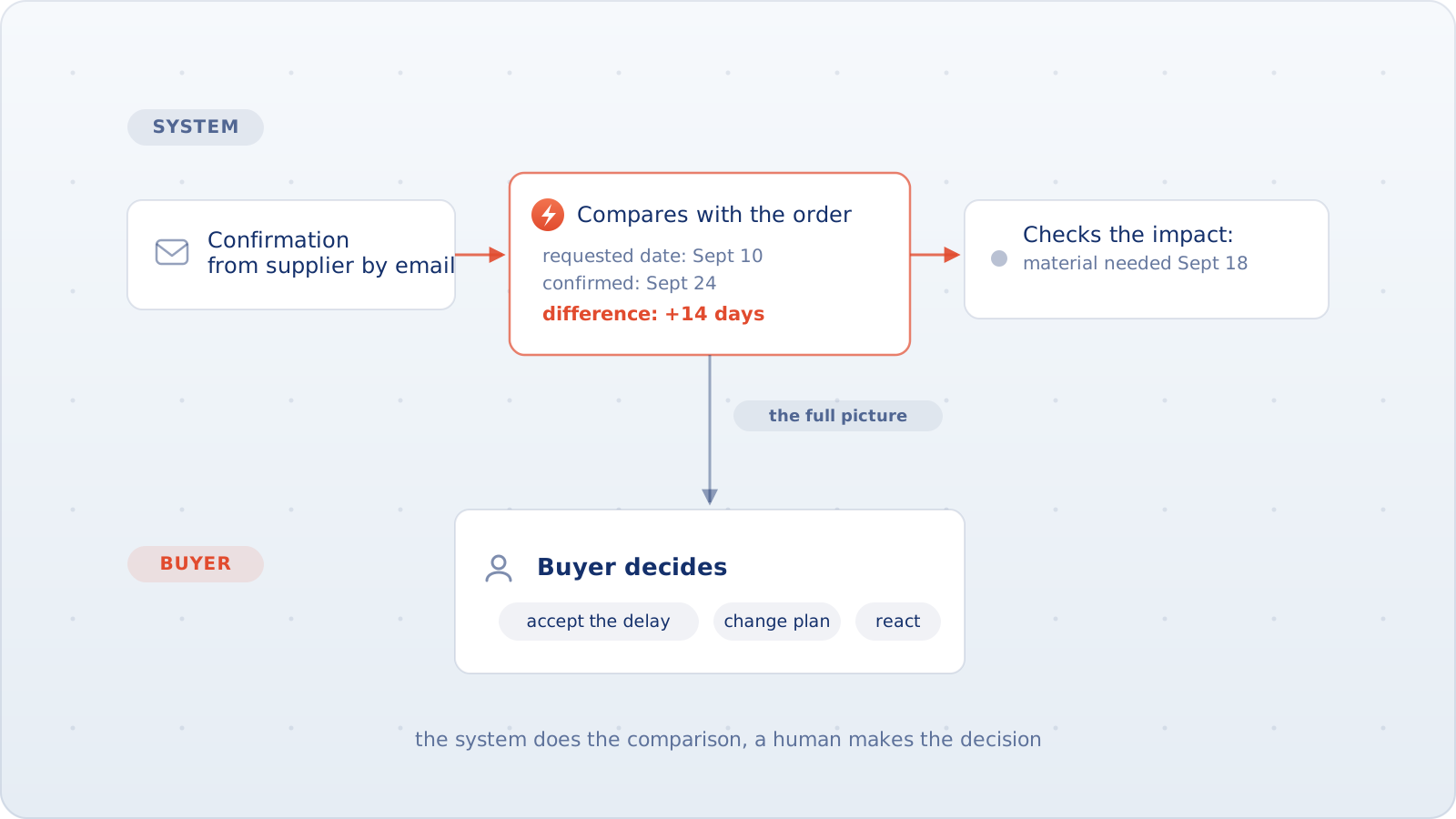
Comparing data is not the same thing as a business decision.
The system can easily detect:
PO 45172, line 30
requested date: September 10
confirmed date: September 24
difference: +14 days
It can also check that the material is needed in production on September 18. That's already a great deal. But someone should still decide:
- whether to accept the delay
- whether to push back on the supplier
- whether to look for another source
- whether to change the plan
- whether to notify the customer
And that's exactly the kind of process that works best. The point isn't to "automate purchasing". It's to automate the boring part:
find the difference, write it down, show the consequences.
While the buyer keeps the decision, where their experience actually adds value.
Modern ERPs already ship plenty of capability here. Dynamics, for one, has a supplier collaboration portal (vendor collaboration), including for suppliers without EDI, with automatic confirmation of unchanged orders and manual handling of proposed changes. A supplier can also simply reply by email, which puts the work right back on the buyer.
So once again, start with the simpler question:
Can we connect this supplier through a portal, EDI, or an API?
If not, then it's time to look at the emails and documents.
3. Purchase invoices
Probably the most obvious example on this list. And also the one where a single piece of advice is most often enough:
First check what you already have.
The typical flow: an invoice arrives by email. An employee opens it, finds the supplier, types in the invoice number and date, checks the order and the goods receipt, compares quantity, price and tax. If everything matches, they post the document. If not, they write to purchasing or whoever owns the cost.
It's an extremely repetitive process, which is why ERP vendors have been solving it for years. Oracle, Dynamics, IFS, Infor and Epicor all have well-developed mechanisms for invoice capture, data extraction, matching and exception handling.
So if a company is still manually retyping ordinary PO-backed invoices, don't start by designing your own AI platform. First check:
- does the ERP have the right module
- is it licensed
- has it been configured
- can suppliers send e-invoices
- is the existing matching process set up correctly
Only then go looking for something custom.
Industry reports will give you averaged costs per invoice, but benchmarks like that say little about your specific company. Your own numbers matter far more:
- how many invoices one person handles
- how much active time one invoice takes
- what share go through without an exception
- which exceptions come up most often
- how long an exception takes to resolve
- how many corrections and duplicates there are
Production data shouldn't be entered twice
4. Production confirmations and completion reporting
This example is a bit different. It's no longer about a document from a customer or a supplier, but about information on what actually happened in production.
An operator finishes an operation. Out of it come the good-piece count, scrap, time, material consumption and the operation status. The information lands in the MES, on a terminal, on paper, or in Excel. And later, at the end of the shift, someone retypes the result into the ERP.
If the same fact is being reported twice, ask the question:
Why?
Modern systems can already handle standard production confirmations: quantities, scrap, rework, times and material movements. If the operator simply isn't using a feature the system already has, then you may not have an automation project at all, but a problem with configuration, the interface, the shop-floor terminal, the scanner, the MES-to-ERP integration, or the way people work.
The real candidate appears when:
the event is already recorded in one system, but a human has to carry it into another by hand.
Or:
data gets collected on paper all day, and only at the end of the shift does someone key in the summary.
AI is usually not needed here. A quantity is a quantity, an operation code is an operation code, a timestamp is a timestamp. The best fix may be an API, a machine event, a barcode, or simply a proper integration.
Humans should stay on the unusual scrap, the rework, the missing material, the botched transactions, and the situations where the shop floor doesn't match what the system shows. The system can carry the information. The employee still answers for what happened on the floor.
Quality documentation is a data flow too
5. Quality results, certificates and customer documents
Picture shipping a product batch for which the customer requires a certificate. The test results live in the LIMS or QMS, the batch information in the ERP, the product spec somewhere else again, and the customer has their own document template.
The quality specialist:
- pulls the results
- checks the batch
- copies the values into the template
- produces a certificate of analysis (CoA) or of conformity (CoC)
- generates a PDF
- attaches the document to the shipment
- sometimes uploads it to the customer's portal on top
Every one of these systems can be working perfectly. The problem is the flow of data between them.
It's a great spot for automation, but also one where it's easy to overreach. The system can pull the approved test results, link them to the batch, pick the right template, generate the document, attach it to the shipment and pass it on. What it shouldn't do is let AI decide:
This batch is fit for release despite the deviation.
That's a different level of responsibility entirely.
Modern quality systems and ERPs already have features for inspection results and certificate generation, so here too, first check what the current system doesn't do. Automate the flow of information and the document generation. Decisions about releasing a product, granting a deviation or handling a serious nonconformity should stay with the accountable quality people.
Shipping is another chain of manual handoffs
6. Carriers and shipping documents
The order is ready, the goods are sitting in the warehouse. Now they have to ship.
The employee opens the delivery in the ERP, copies the address, weight, pallet count, reference and service type, and keys it all into the TMS or the carrier's portal. Then they download the label and retype the tracking number back into the ERP. After delivery, they log into yet another system, download the proof of delivery (POD) and attach it to the records.
It's a textbook example of a human acting as the integration.
The simplest answer, though, is not:
Let's build a bot that clicks around the portal.
If the TMS or the carrier has an API, a connector or EDI, that's the place to start. The major ERP vendors ship their own transportation modules and ready-made carrier integrations anyway.
Save RPA for the situation:
we have an old portal, there's no API, the interface is stable, and the system will be with us for a few more years.
Not as the first choice.
After automation, the employee should still get the cases like:
- the carrier rejected the shipment
- an unusual surcharge appeared
- the shipment contains dangerous goods
- a customs problem came up
- the delivery failed
- a different service level has to be chosen
Those are exceptions. Copying an address from the ERP into the TMS is not.
Reporting: agree on the data first, automate second
7. Recurring reports and data reconciliation
This process is easiest to spot on the calendar. Monday morning, the production report is due.
Someone:
- exports from the ERP
- exports from the MES
- pulls the warehouse data
- opens last week's file
- fixes the column names
- runs an XLOOKUP or VLOOKUP
- checks for missing item codes
- calculates the same KPIs
- updates the charts
- pastes them into PowerPoint
- sends the report
Next week, they do almost exactly the same thing.
It's a great automation candidate, but only on one condition:
the company agrees on what the data actually means.
Because there are two very different cases.
Case one: the report is repeatable
Same sources, same columns, defined KPIs, same transformations. Then it's hard to find a good reason for a human to do identical work every week. The data should flow automatically, the report should refresh itself, and the employee should be analyzing the result.
Case two: every system says something different
The MES understands "produced" differently than the ERP. The warehouse uses different identifiers than finance. One department counts shipments by document date, another by the moment goods leave the warehouse.
Then automating the Excel file can only make things worse. What you get is:
the wrong report, faster and more automatically.
First the data model has to be agreed. Who owns the definitions? Which system is the source of truth? What exactly does the KPI mean?
Reliable industry numbers on how many hours a week companies lose to reports like these are hard to come by, so measure your own situation:
- how many hours the report takes to prepare
- how many manual exports are involved
- how many manual transformations
- how many discrepancies need explaining
- how long the data waits before it reaches its audience
- how much time the analyst spends preparing data versus analyzing it
The goal is to flip those proportions. Less of:
I copy, clean and assemble.
More of:
I can see what happened and I'm trying to understand why.
How to check whether any of these is actually worth automating
Finding manual work doesn't yet mean automation is worth building. Take one of the processes above and answer a few questions.
Does it happen often?
Daily, or a few dozen times a week, sounds interesting. Once a quarter, much less so.
Can you measure the volume?
If you don't even know how many of these cases you get per month, count first.
How much real work does one case take?
Not the time from the email to case closed, but the human's active working time: opening, reading, retyping, comparing, uploading documents.
Is the standard case repeatable?
If 80% of cases look alike, there's something to work with. If every situation is completely different, automation will be harder.
Can the system you already have do it?
This question should come up very early. Maybe all it takes is configuring a workflow, switching on an existing module, adding an integration, or using EDI or an API. Only after that is it worth thinking about a new solution.
Can you define the exceptions?
"The price differs by more than 2%" is a rule. "The date moved by more than 5 days" is a rule. "The employee looks at the document and just knows whether it's OK" is a sign the process needs to be understood better first.
What happens if the system gets it wrong?
If an error can be stopped before the transaction is posted and shown to a human, the risk is very different than when a wrong decision goes straight to production or to the customer.
Can you measure the effect?
At the start, a simple calculation is enough:
volume × active handling time
That gives you a first read on how much administrative work the process consumes. Later you can add exceptions, corrections, delays, the cost of errors, and the impact on other departments.
After automating, measure exactly the same things. Not "what percentage of the process is AI-powered", but:
how much work actually disappeared, and what changed in how the company runs.
It's not about automating all seven
If five processes on this list look familiar, that doesn't mean launching five projects. The best move is to start with one. One that:
- happens often
- takes a noticeable amount of time
- has a repeatable standard path
- makes errors easy to catch
- can be measured
- doesn't require rebuilding half the company
And check one more time:
Can't the existing ERP, MES, QMS or TMS already do this?
It's the same principle from the ERP article: sometimes the best automation is switching on a feature the company is already paying for. Sometimes it's an API, sometimes EDI, sometimes automated document reading. Sometimes it takes a dedicated layer between several systems. And sometimes the best decision is to leave the process alone.
All of which leads to a fairly simple model:
automate the movement of information → check everything unambiguous with rules → use AI where something needs interpreting → route the meaningful exceptions to a human → write their decision back into the systems.
It's less glamorous than the vision of an autonomous factory run by AI agents. But in many companies, it's precisely in these small, repetitive handoffs of information that the removable work hides: removable without replacing the ERP, without rebuilding the whole organization, and without trying to automate decisions that are still better made by people.